v2.9.7 — Latest Release

Ronix Executor Mac
for Roblox

The most advanced free script executor for Roblox on macOS. Native Apple Silicon, no key system, lightning-fast Lua execution, and Byfron bypass built in.

View Interface
50K+ Downloads
4.9 ★ Rating
Free No key needed
M1–M3 Apple Silicon
Why Ronix?

Built for macOS. Made for Roblox.

Everything you need to run Lua scripts in Roblox, built natively for your Mac.

Instant Execution

Scripts run in under 0.2 s with our optimized Luau engine. No lag, no delays, no waiting.

No Key System

Completely free forever — no key, no paywall, no subscription. Download and start immediately.

Apple Silicon Native

Optimized for M1, M2, and M3 chips. 30% faster injection than Rosetta alternatives.

Cloud Script Hub

Hundreds of verified scripts, updated daily. Access everything from the built-in sidebar.

Full Luau Support

Complete compatibility with modern Roblox APIs and Luau syntax — run virtually any script.

Byfron Bypass

Advanced anti-cheat bypass keeps you undetected during script execution. Updated with every patch.

Interface

Clean, Powerful, Intuitive

Designed from scratch for macOS. Native feel with full executor power.
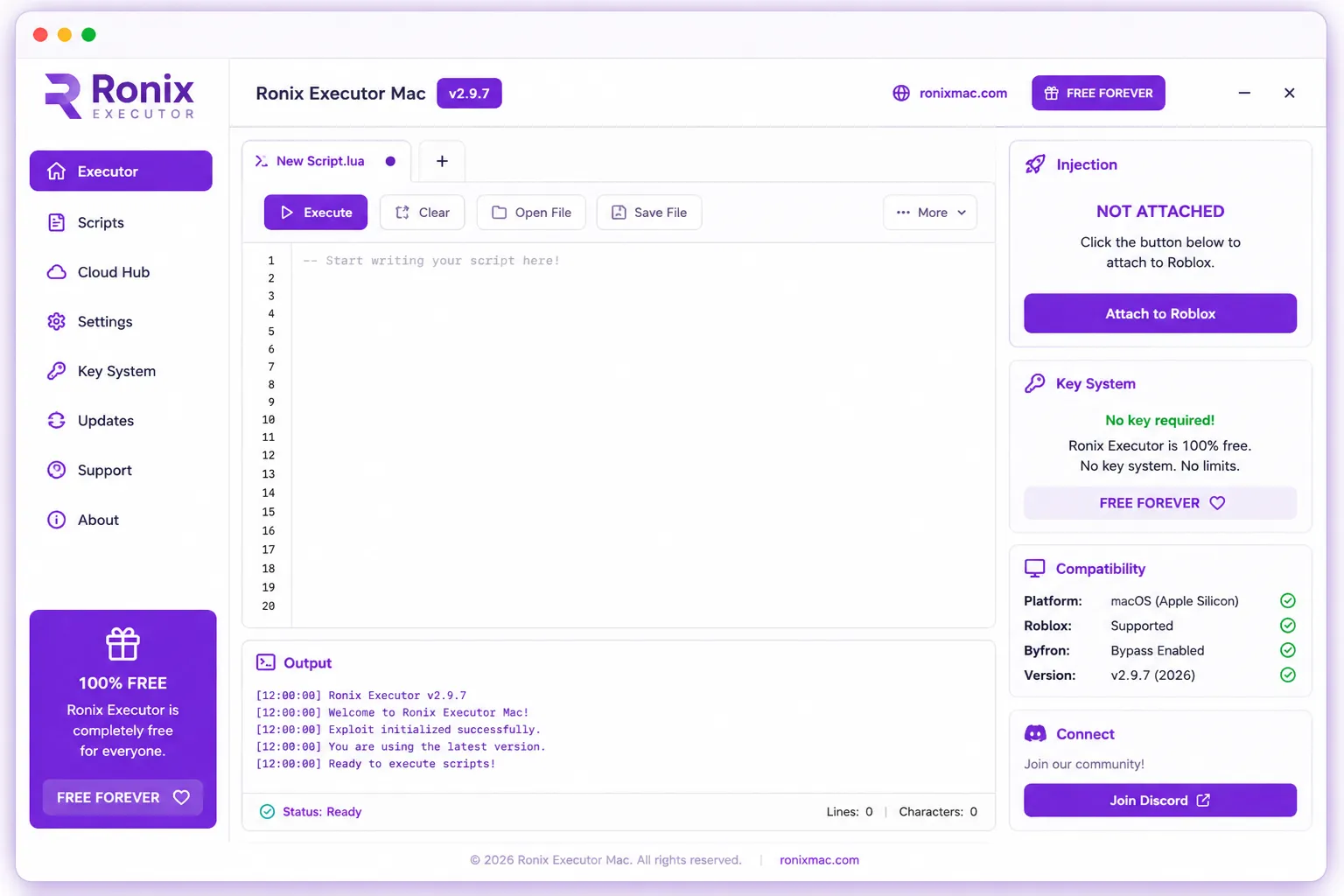
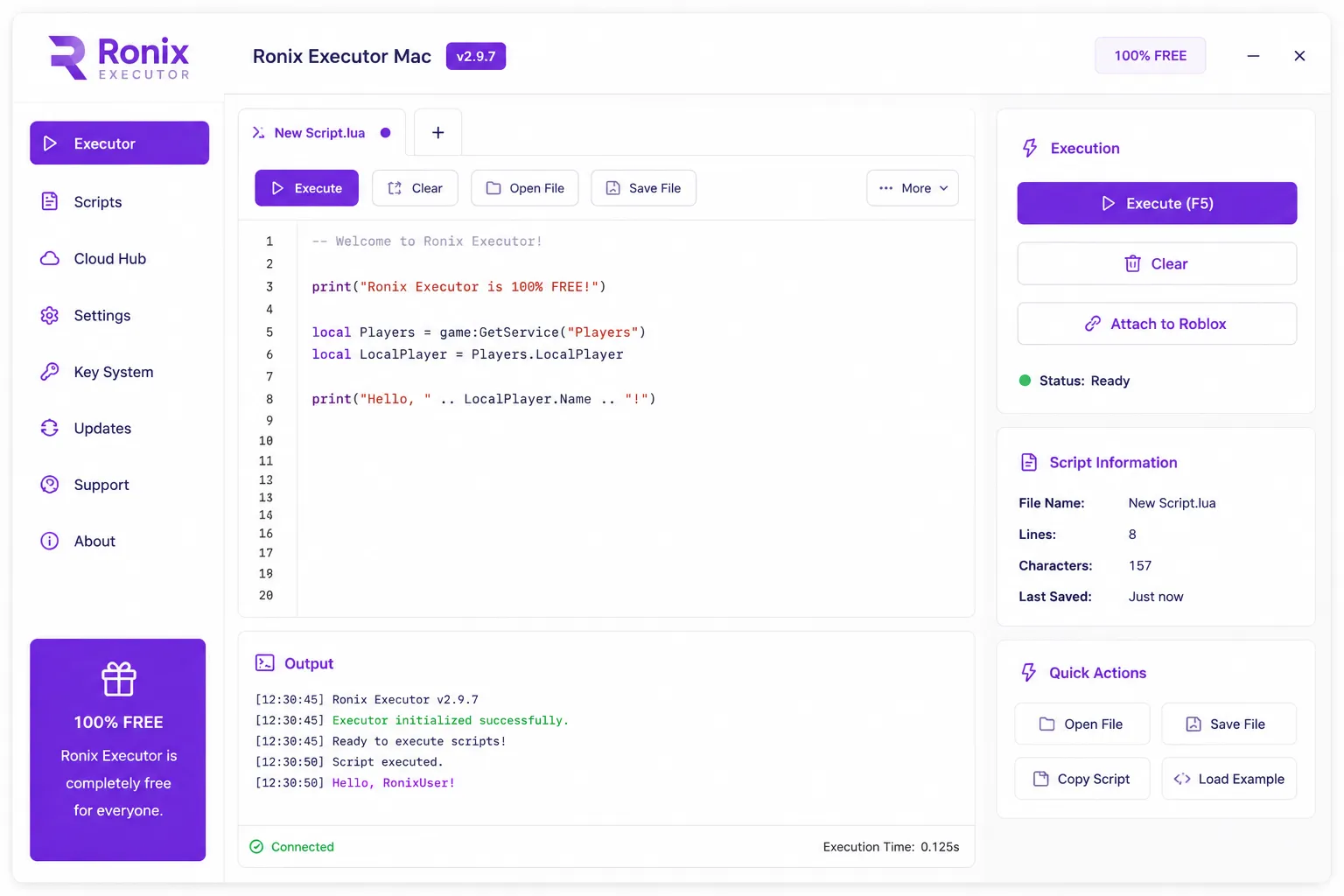
Ronix Executor Mac — main window showing Lua code editor, output console with real-time logs, and Roblox injection panel
Main Executor Window — Lua editor with real-time output
Ronix Executor Mac — script execution interface with Cloud Hub integration and execution status
Cloud Hub — Browse and run community scripts
Syntax highlighting Multi-tab editor Real-time console Script import & export One-click Roblox attach Execution time display
Updates

Changelog

We ship updates within 24–48 h of every major Roblox patch.

v2.9.7 Latest
  • Fix macOS Sequoia 15.5 compatibility restored after Roblox update
  • Fix Byfron bypass updated for June 2026 patch cycle
  • New Cloud Hub now syncs favorites and history across devices
  • New Execution time shown in the output console footer
  • Perf Injection speed improved by 30% on Apple Silicon
v2.9.5
  • Fix Key System panel now correctly shows “No key required”
  • New Multi-tab script editor with unsaved indicator dot
  • Perf Memory usage reduced by 40% during long sessions
  • Fix Auto-save no longer triggers on empty editor tabs
v2.9.0
  • New Complete UI redesign — cleaner, faster, more macOS-native feel
  • New Cloud Hub launched with 200+ verified community scripts
  • New Settings panel with custom theme and keybind options
  • Perf Full M3 chip optimization including M3 Max and Ultra
v2.8.0
  • New First official Ronix release for macOS
  • New Full Luau syntax support with modern Roblox API coverage
  • New Auto-attach to Roblox on startup option
Requirements

System Requirements

Operating System macOS 10.15 Catalina or later
RAM 4 GB minimum (8 GB recommended)
Processor Apple Silicon M1+ or Intel x86_64
Storage 250 MB free disk space
Roblox Latest version (auto-detected)
Price 100% Free Forever
Get Started

Install in 4 Steps

From download to first script execution in under two minutes.

  1. Download Ronix

    Click the download button to get the latest Ronix Executor Mac v2.9.7 package.

  2. Install the App

    Open the downloaded .dmg and drag Ronix to your Applications folder.

  3. Allow System Access

    On first launch, go to System Settings → Privacy & Security → click “Open Anyway”.

  4. Attach & Execute

    Open Roblox, click “Attach to Roblox” in Ronix, paste your script, press Execute (F5).

Free download · macOS 10.15+ · v2.9.7 · ~48 MB

Community

Join 50,000+ Roblox Players

Connect with the Ronix community on Discord — get scripting help, share your favorite scripts, stay updated on new releases, and report issues directly.

50K+ Total Downloads
12K+ Discord Members
Daily Script Updates
Join Discord Server
Compatibility

Works on Your Mac

Tested on every major macOS release and Mac chip since 2020.

macOS Versions

  • macOS 15 Sequoia ✓ Supported
  • macOS 14 Sonoma ✓ Supported
  • macOS 13 Ventura ✓ Supported
  • macOS 12 Monterey ✓ Supported
  • macOS 11 Big Sur ~ Partial
  • macOS 10.15 Catalina ✓ Supported

Processors

  • Apple M3 / M3 Pro / M3 Max ✓ Native
  • Apple M2 / M2 Pro / M2 Max ✓ Native
  • Apple M1 / M1 Pro / M1 Max ✓ Native
  • Intel Core i7 / i9 ✓ Supported
  • Intel Core i5 ✓ Supported
  • Intel Core i3 ~ Min specs
FAQ

Frequently Asked Questions

Is Ronix Executor Mac really free?

Yes. Ronix is 100% free with no key system, no subscription, and no paid tiers. Download, install, and execute scripts without spending anything — ever.

Does it work on Apple Silicon Macs (M1, M2, M3)?

Yes. Ronix runs natively on all Apple Silicon chips. M1, M2, and M3 are fully supported with a dedicated native binary — no Rosetta emulation needed.

Will using Ronix get my Roblox account banned?

Ronix includes an advanced Byfron bypass that minimizes detection risk. As with any executor, use on alternate accounts is recommended. We cannot guarantee zero risk.

macOS says “App can’t be opened” — what do I do?

This is macOS Gatekeeper. Go to System Settings → Privacy & Security → scroll down and click “Open Anyway” next to Ronix. This is a one-time step.

What is the Cloud Hub?

Cloud Hub is a built-in script library with 200+ verified community scripts. Browse, search, and run scripts directly from the sidebar without copy-pasting any code.

How quickly is Ronix updated after Roblox patches?

Our team monitors Roblox updates 24/7 and typically ships a Byfron bypass patch within 24–48 hours of any major Roblox update. Check the Changelog section for update history.

Ronix Executor Mac

Download Ronix Executor Mac

Free, fast, and ready for macOS. No key required.

v2.9.7 June 2026 ~48 MB macOS 10.15+ 100% Free